TipTip is a custom jQuery tooltip that behaved just like the browser tooltip. TipTip detects the edges of the browser window and will make sure the tooltip stays within the current window size. As a result the tooltip will adjust itself to be displayed above, below, to the left or to the right of the element with TipTip applied to it, depending on what is necessary to stay within the browser window.
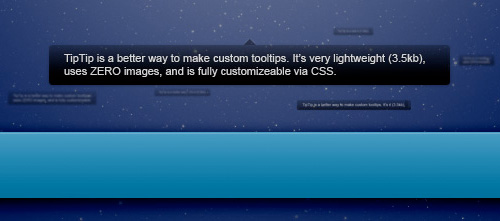
Features Includes:
- - This plugin uses ZERO images and is completely customizable via CSS.
- - It’s also only 3.5kb minified which makes it a lightweight jQuery plugin.
- - TipTip can be applied to any element, not just links.
- - TipTip has been tested (and works) in: IE7 & IE8, Firefox, Safari, Opera, and Chrome.
How It Works:
TipTip only generates one set of popup elements total, rather then generating one set of popup elements for each element with TipTip applied to it. This helps speed things up and reduces processing time. The elements generated are all div elements and are appended to the end of the body element. The structure looks like this:
<div id="tiptip_holder">
    <div id="tiptip_content">
        <div id="tiptip_arrow">
            <div id="tiptip_arrow_inner"></div>
        </div>
    </div>
</div>
To learn more about how to use it check out the documentation.
Jan 16, 2025 @ 21:24:48
There are several plugins like tip-tip. But I like the way tip-tip has a horizontal layout with the pointer pointing up. Though I expect that’s customizable.
You are now listed on FAQPAL
Jan 20, 2025 @ 04:51:06
TipTip- Sweet & Simple Custom tooltip jQuery Plugin…
TipTip is a custom jQuery tooltip that behaved just like the browser tooltip. TipTip detects the edges of the browser window and will make sure the tooltip stays within the current window size. As a result the tooltip will adjust itself to be displayed…
Mar 28, 2025 @ 23:46:27
i have also creted a tooltip functinality using jquery check this one
http://www.designaeon.com/custom-tooltips-using-jquery/